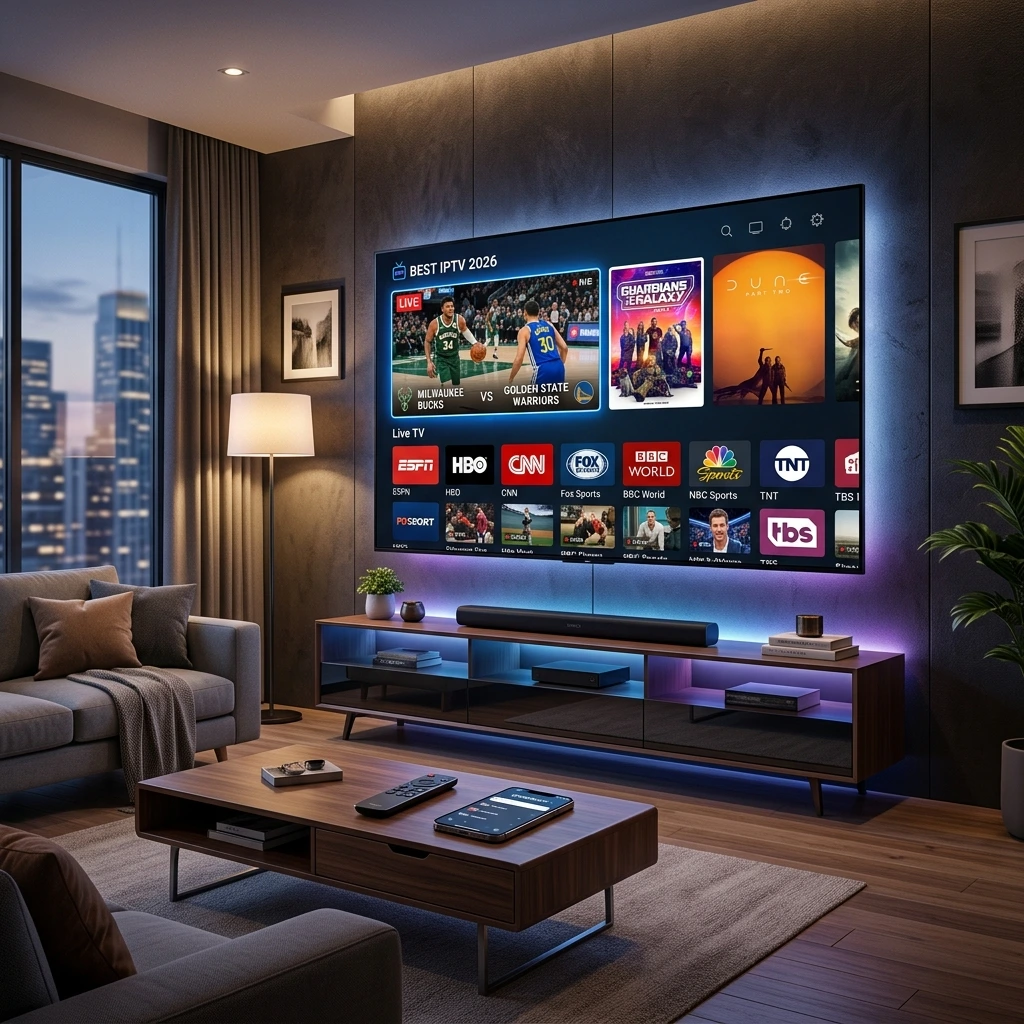
The Ultimate Guide: What is IPTV and How Does It Work?
If you are wondering what is IPTV, you are not alone. The television landscape has fundamentally shifted. Traditional broadcasting is being rapidly replaced by digital delivery. Whether you are exploring modern entertainment setups or building a streaming business, understanding the core mechanics of Internet Protocol Television is mandatory. This guide breaks down exactly what the technology is, how it operates, and what you need to get started.
Understanding What is IPTV and Its Core Fundamentals
What does IPTV stand for?
IPTV stands for Internet Protocol Television. Unlike traditional satellite signals or terrestrial cable formats, it uses the TCP/IP network protocol suite to deliver television content. Instead of receiving media as broadcast signals that enter your home via a rooftop antenna or fiber-optic cable from a local provider, you receive media streaming through your standard internet connection.
How does IPTV really work?
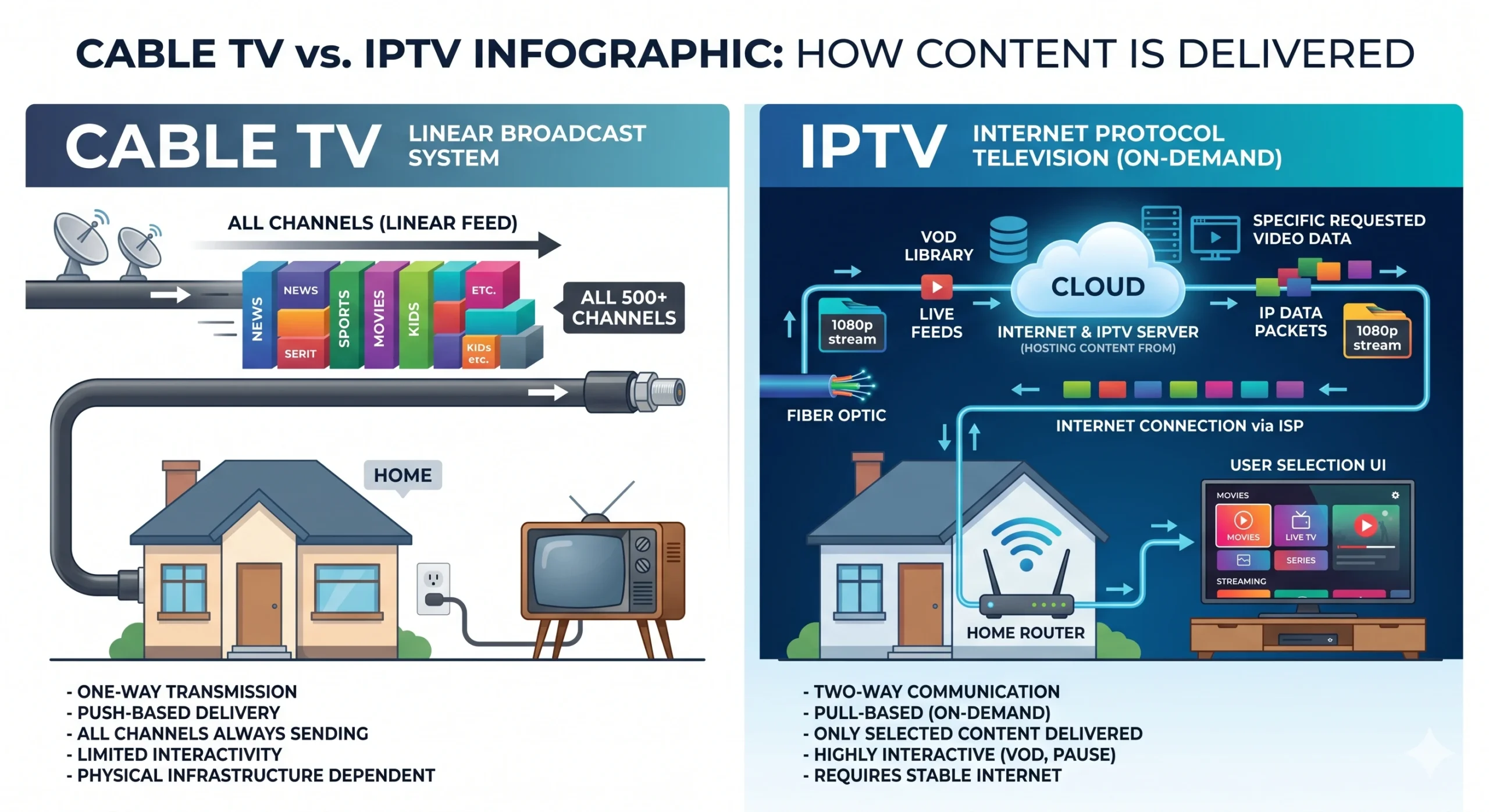
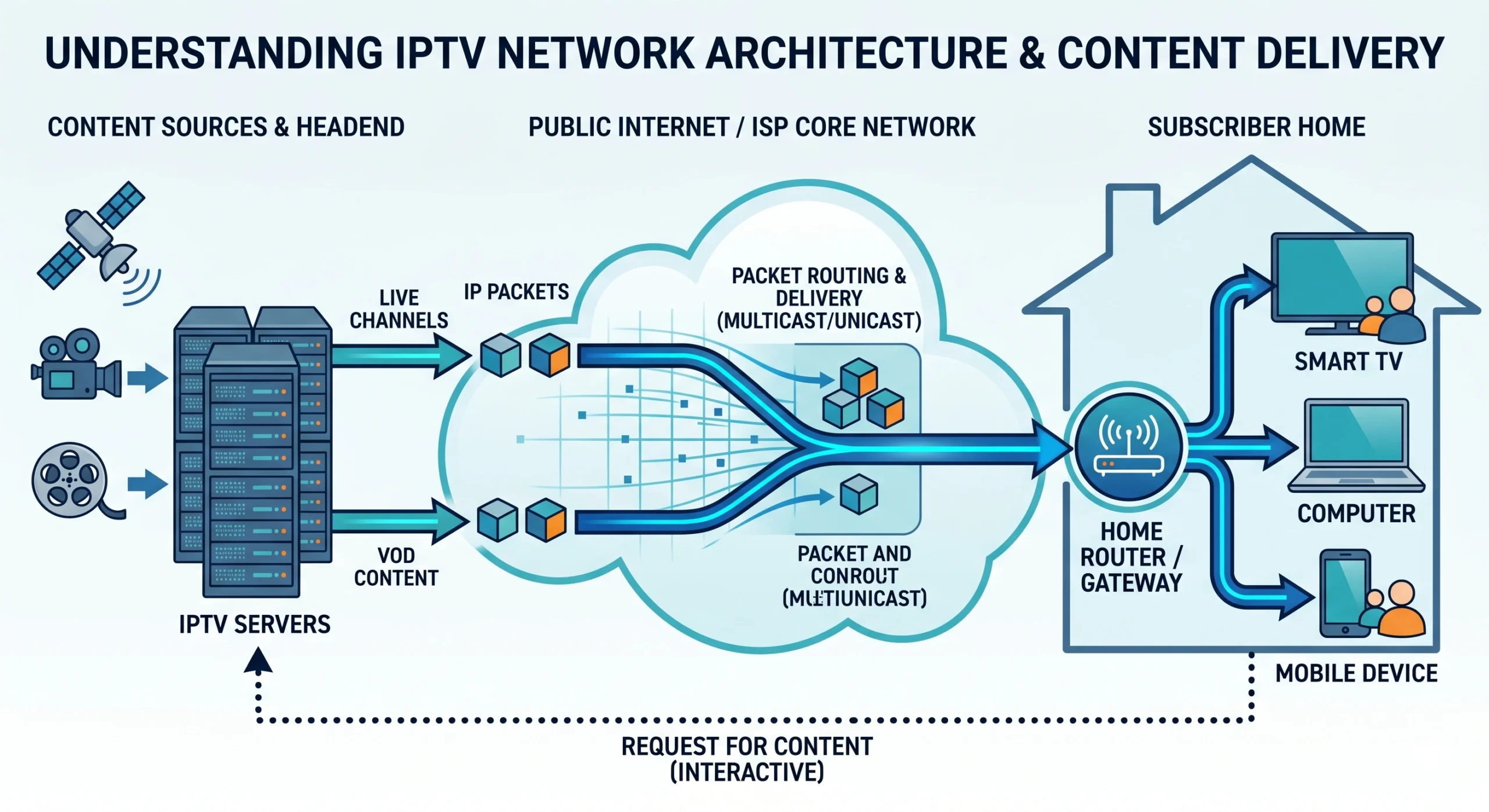
Traditional TV broadcasts all channels simultaneously; you simply tune your television to decode a specific frequency. IPTV works entirely differently. It is a two-way communication system. When you select a program, your device sends a request to the host server. The server then divides the video content into data packets and sends them over the internet directly to your device via a process called multicasting (for live TV) or unicasting (for on-demand content).
Market Context: What is IPTV Compared to Cable TV?
What is the difference between IPTV and cable TV?
The primary difference lies in the delivery infrastructure. Cable TV relies on a dedicated, physical infrastructure of coaxial or fiber-optic cables that push all available channels to your set-top box at once. IPTV uses your existing broadband internet connection and only transmits the specific channel you request. This makes it highly scalable and significantly more interactive.
Why is IPTV cheaper than cable?
Providers avoid the massive overhead costs associated with maintaining thousands of miles of physical cable infrastructure. Cable companies must pass the cost of network maintenance, hardware deployment, and local monopoly taxes down to the consumer. Because internet-based providers leverage the existing global network infrastructure, their operational costs are drastically lower, resulting in cheaper subscription models.
What is the difference between VOD and IPTV?
While often bundled together, they are distinct technologies. VOD (Video on Demand) allows users to select and watch video content whenever they choose, much like a digital library. Netflix is a pure VOD service. Internet Protocol Television refers to the delivery method itself and typically includes live, linear television broadcasting as its core feature.
What is IPTV Hardware and the Technical Requirements?
What do you need to get started?
To establish a stable connection, you need three core components:
- Broadband Internet: A stable, high-speed connection.
- A Viewing Device: This can be a Smart TV, a computer, a smartphone, or a dedicated set-top box (like a MAG box) if your television lacks smart capabilities.
- Middleware/Player: An application (such as Smarters Pro or TiviMate) to input your playlist URL or portal data and decode the stream.
What is the Internet requirement for a stable stream?
Bandwidth is the lifeblood of this technology. While absolute minimums exist, practical usage requires higher thresholds to prevent buffering. For standard definition (SD) streaming, a minimum of 5 Mbps is required. For High Definition (HD), 10-15 Mbps is necessary. For 4K/UHD streaming, you need a stable 25-30 Mbps. Remember, this speed must be available at the device, accounting for other network traffic in your household.
Once you have the right setup and internet speed, finding a reliable provider is the next step. If you are ready to start watching, check out our guide on The 5 Best IPTV Services for Premium Streaming in 2026.
Features & Household Usability
What is catch up with IPTV?
Catch-up TV is a feature that records live broadcasts on the provider's servers and stores them for a specific period (usually 2 to 7 days). This allows viewers to watch programs they missed without having to remember to record them locally. When you access a catch-up stream, the system switches from multicasting (live) to unicasting (on-demand), pulling the archived file directly to your screen.
How many people can watch at once?
This is strictly determined by the terms of your specific subscription, not the technology itself. A standard subscription usually provides a single "connection," meaning the service can only be active on one device at a time. Multi-room viewing requires purchasing additional connections from the provider. Attempting to use a single connection on multiple devices simultaneously will usually result in an automatic temporary ban by the server.